¶ Request Tenant Account
 |
|
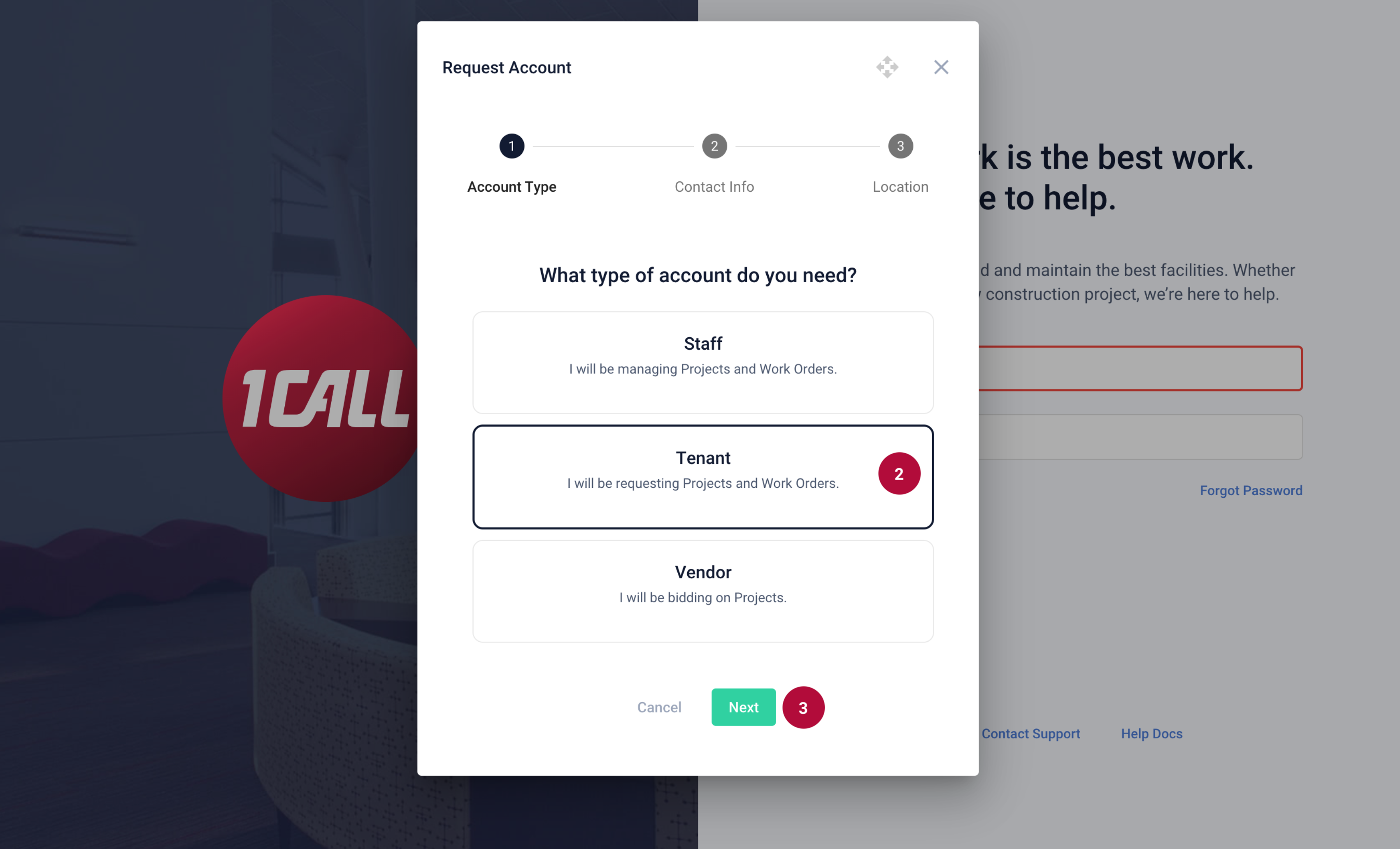 |
2. Select Tenant 3. Select the Next button |
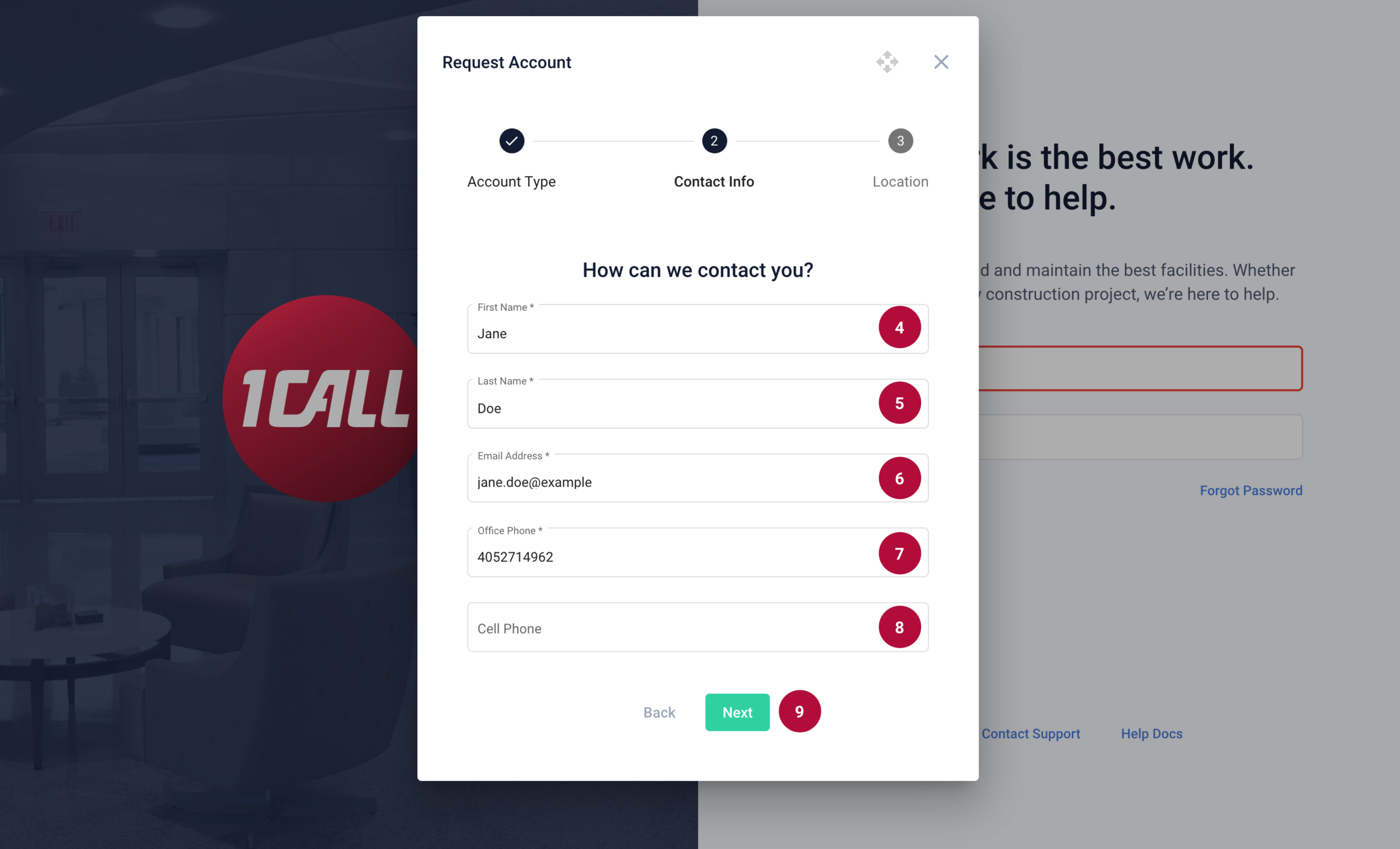 |
4. Enter your First Name 5. Enter your Last Name 6. Enter your Email Address 7. Enter an Office Phone Number 8. Enter a Cell Phone (Optional) 9. Select the Next button |
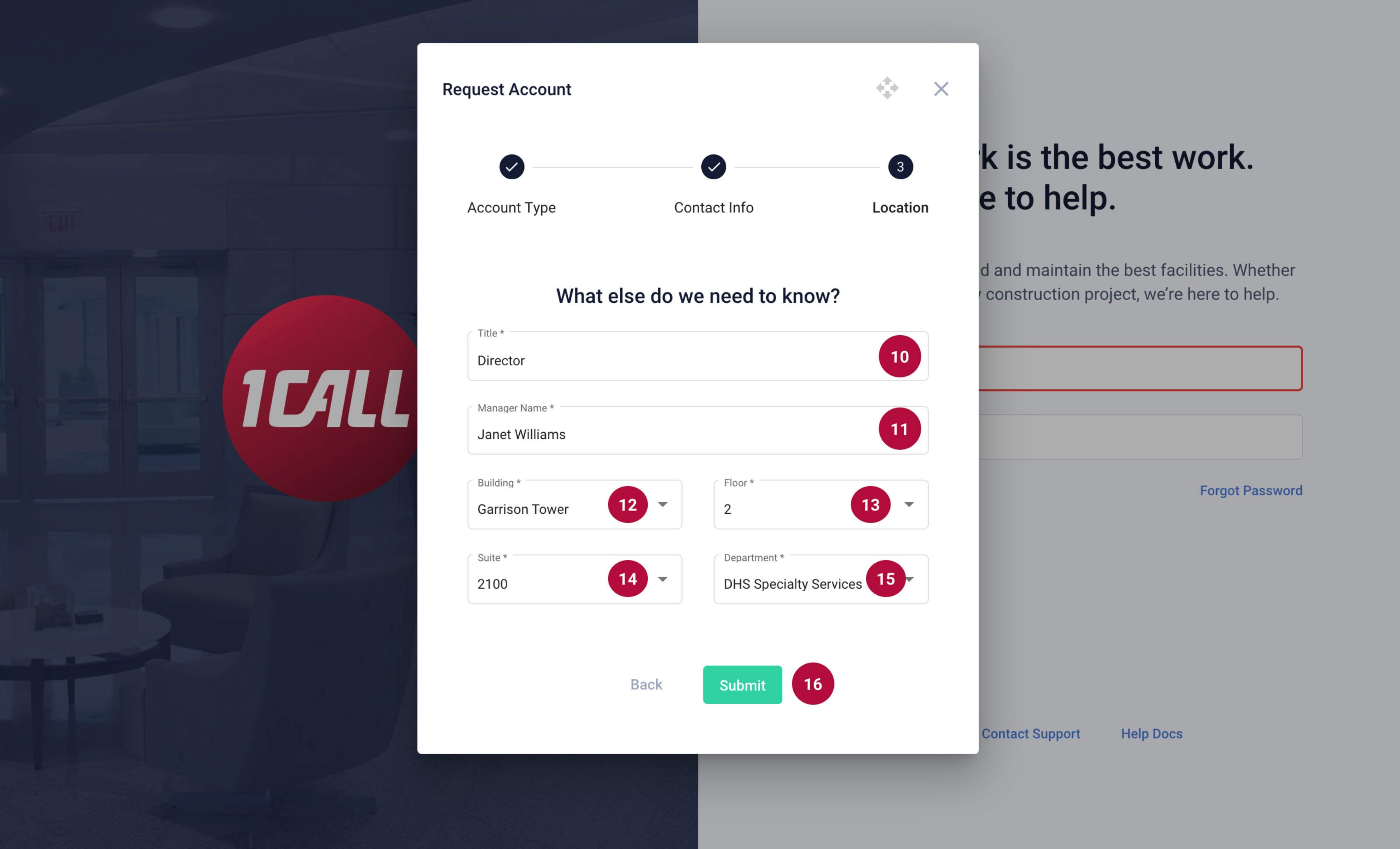 |
10. Enter your Job Title 11. Enter your Manager's Name Location Information If you are not a tenant in our facilities, select “Non-Trust Facility” under the building dropdown in step 12. Then fill in the rest of the information. 12. Select the Building 13. Select the Floor 14. Select the Suite 15. Select the Department 16. Select Submit |
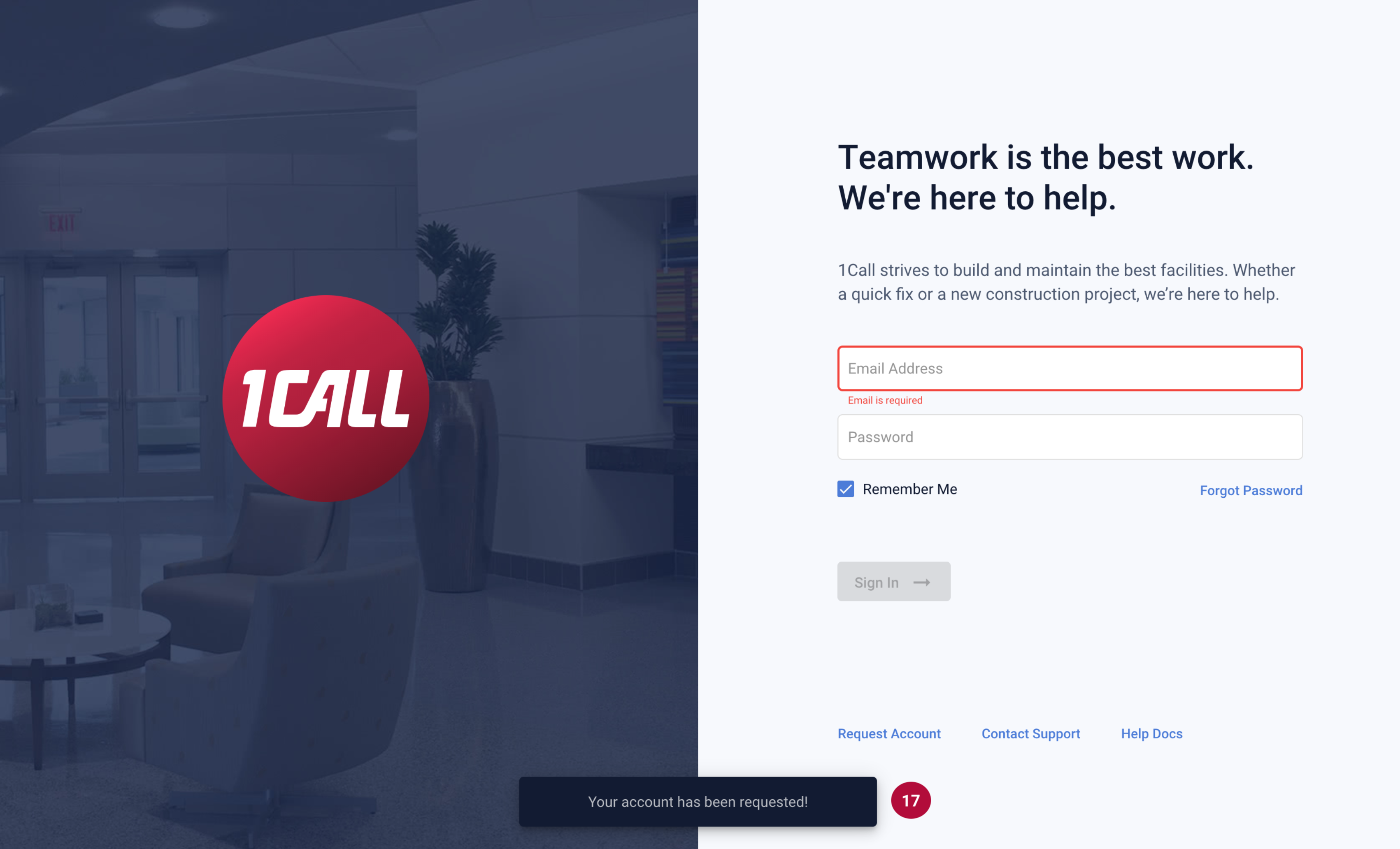 |
17. Your account request will be submitted into our system. A request will be sent to a 1CALL Cloud admin will review your information and determine your level of access. If approved, you will receive a follow-up email to login and finish setting up your account. |